On this page
Whether you're doing an investigation into a user that reported a possible phishing attempt or trying to figure out how a threat actor accessed your environment, you will most likely need the sign-in log from Entra ID (Azure Active Directory). We recently found that the official PowerShell module for acquiring this log is lacking crucial information and you should not use it for your investigations. In this blog we will highlight the issues we found and present you with an alternative solution.
The issue
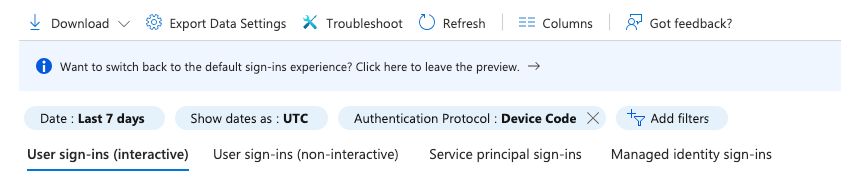
Recently we updated our training materials and added a section on Device Code Phishing attacks. This type of phishing leverages the Device Code flow commonly used for devices that don't have a keyboard to enter credentials. It's possible to detect these types of logins by analysing the Microsoft Entra sign-in logs. When a user logs in using the Device Code Flow, an interactive logon will be recorded and the field Authentication Protocol contains the value Device Code. In the Entra portal we can filter on this type of event:
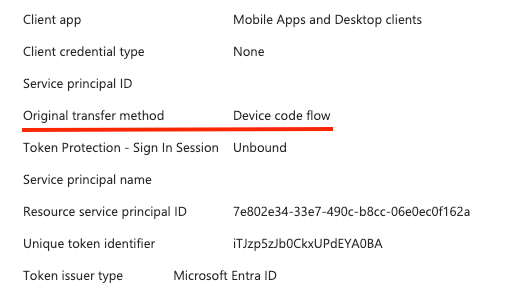
If you open a field, the detailed view will show you that the Original transfer method used for the sign-in is a Device code flow.
You can do something similar if you have the Entra sign-in logs in Log Analytics with the following KQL query:
SigninLogs
| where AuthenticationProtocol == "deviceCode"
| project TimeGenerated, AppDisplayName, IPAddress, UserDisplayName, AuthenticationProtocol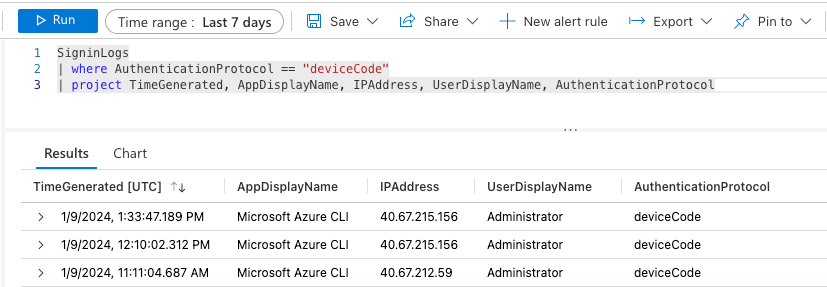
So far so good right....
There is also a third method to acquire the Entra sign-in logs using PowerShell. For this purpose we have developed the Microsoft-Extractor-Suite, the tool relies on a PowerShell cmdlet called Get-MgAuditLogSignIn or the legacy Get-AzureADAuditSignInLogs. The problem is that both will not retrieve the Authentication Protocol field and value as pointed out by one of our power users Martin (thank you!).
Diving further into this issue we performed additional testing and troubleshooting. In PowerShell you can use the Get-Member cmdlet to get all properties of a given command so we decided to take a look at the fields returned:
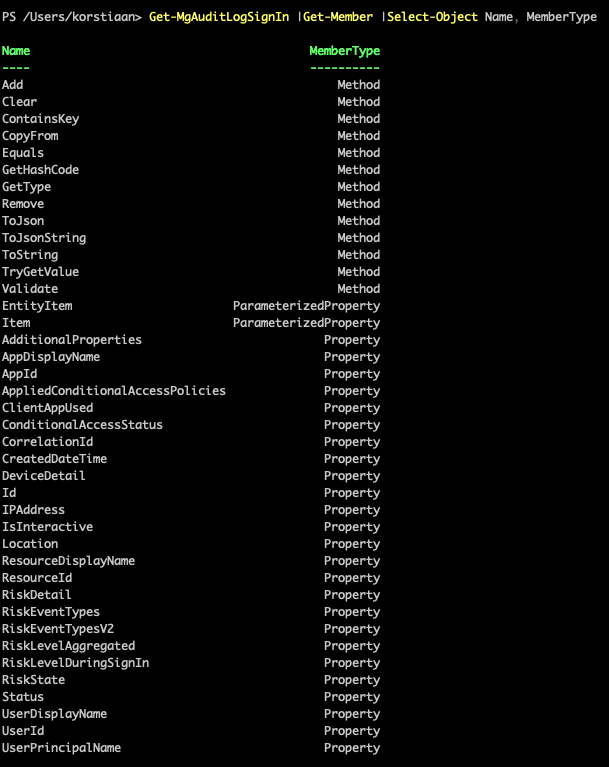
If you stare at this output long enough you'll notice there's no Authentication Protocol field. Which means the data isn't exposed through this cmdlet. Meaning that if you do an acquisition directly with this cmdlet or with our script you'll miss certain fields. So what are the missing fields you might ask?
The solution
Lucky for us there is a beta version of the cmdlet called Get-MgBetaAuditLogSignIn, if you run the same command you'll notice additional fields:
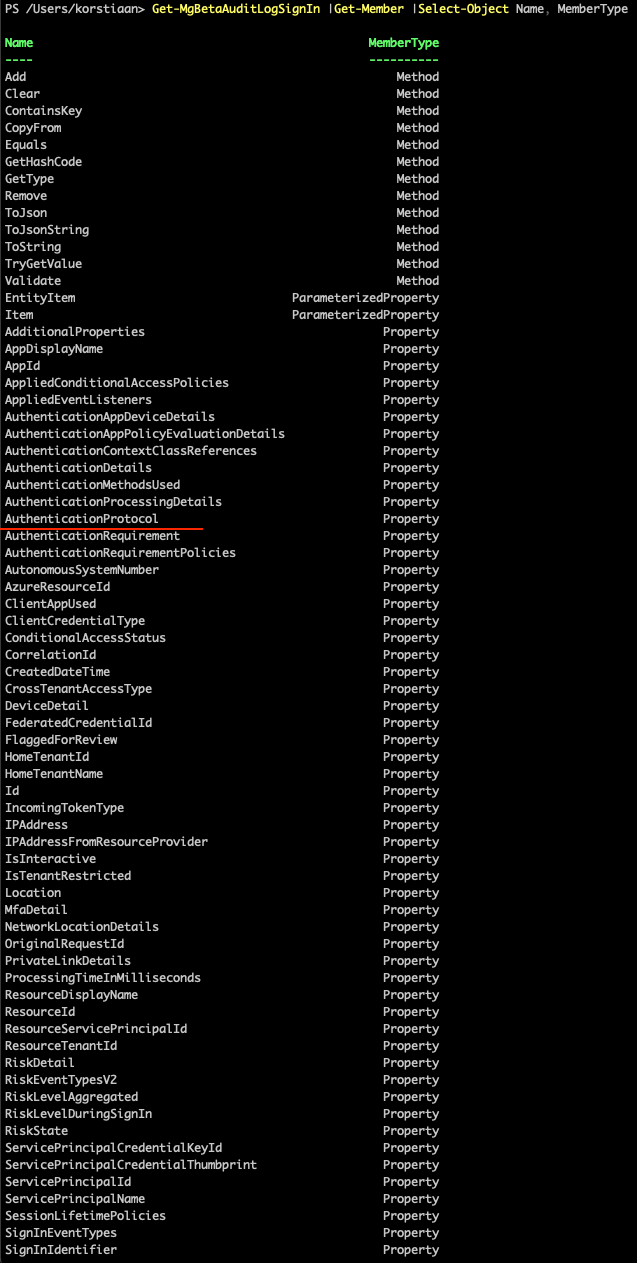
There we have it our most wanted field and a lot more. When we compare the output of the standard cmdlet vs the beta you can see that the amount of fields returned in the beta is almost double.

What else is in the output? The beta module also has a lot of additional fields for Service Principal sign-ins, which can be very useful if you're doing an incident response investigation into malicious app abuse.

Conclusion
We will be updating the Microsoft-Extractor-Suite to use the beta module to make sure we are retrieving as much information as possible, while we are waiting for Microsoft to update the normal module. Alternatively you can use the Unified Audit Logging to identify Device Code phishing. For current training information, explore Invictus Academy.